

Refurbished mono printer: business buying guide

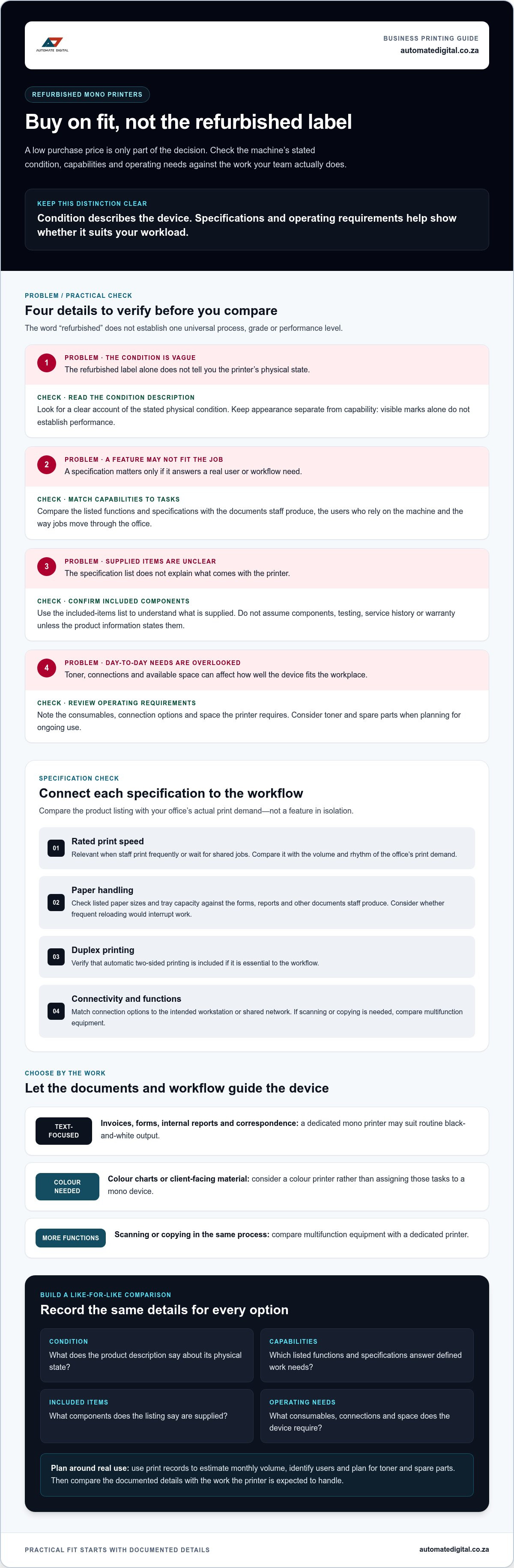
A low purchase price doesn’t make a refurbished monochrome printer the right choice for your workplace. If its capacity falls short, its condition is unclear or toner and spare parts are difficult to plan for, the initial saving may not translate into dependable day-to-day use.
Weigh the purchase decision against your print volume, the functions your team needs and the way the machine will fit into existing workflows. This guide explains what to assess before buying, from the product description and specifications to consumables and operating requirements.
You’ll also compare pre-owned and new mono printers with multifunction options to find a practical fit for your business. Automate Digital offers pre-owned and new mono printers, as well as toner cartridges and printer spare parts. Use the comparisons ahead to assess overall business fit, not price alone.
Table of Contents
When does a refurbished monochrome printer make sense for a business?
A refurbished monochrome printer is a previously used black-and-white printer prepared for resale. Whether it suits your business depends on its stated condition and how well its capabilities match your print workload. It can be a practical option when staff mainly produce text documents and don’t need colour or additional functions from that device. Since refurbishment descriptions can vary, the term alone doesn’t establish a standard condition or performance level.
Which office workflows suit monochrome printing?
Mono printing suits routine documents where clear text matters more than colour output. Common examples include invoices, forms, internal reports and business correspondence. Consider the workflow as well as the document types: who prints, where the printer will sit, and whether staff collect jobs from a shared area or print at individual workstations.
A dedicated mono printer may suit a text-focused workflow. If teams regularly need colour charts or client-facing material, consider a colour printer. If scanning or copying is part of the same process, compare multifunction equipment. A general overview of different types of printers can help clarify how devices vary, but the right choice depends on the tasks your staff need to complete.
What does refurbished mean when buying a printer?
“Refurbished” indicates that a previously used printer has been prepared for resale, but it doesn’t describe one universal process or grade. Read the product description for the device’s stated condition, specifications, included components and any operating requirements relevant to your workplace.
Keep these details distinct. A description of visible condition doesn’t, by itself, explain performance. Specifications describe capabilities, while the included-items list identifies what comes with the device. Before comparing options, make sure you understand the information available about:
Condition: what the description says about the printer’s physical state.
Capabilities: the stated print functions and specifications relevant to your tasks.
Included components: what is supplied with the printer.
Operating needs: the consumables, connections and space the device requires.
This gives your team a clearer basis for judging suitability than the refurbished label alone. Compare those details with your actual workflow, then decide whether the device’s functions and stated condition suit its intended role.
How to assess a refurbished monochrome printer’s condition and suitability
Assess the device using the information provided, not the word “refurbished” alone. A useful product description distinguishes its stated physical condition from its specifications, included components and listed operating requirements. These details help you judge whether the printer can support the work you intend to assign to it.
A printer’s described condition tells you about the device; its specifications and operating requirements help show whether it suits your workload. Keep that distinction in view as you compare options. The Cannata Report’s refurbished printer market analysis discusses business interest in value and ESG considerations, but market context cannot establish the condition or suitability of an individual machine.
Which specifications should a business compare?
Start with the tasks and users the printer will serve, then check the relevant details in the product listing. Rated print speed matters if staff print frequently or wait for shared jobs. Paper capacity matters if frequent reloading would interrupt the workflow. Neither figure is useful in isolation. Compare both with the volume and rhythm of your office’s actual print demand.
Paper handling: Check that the listed paper sizes and tray capacity suit the forms, reports or other documents staff produce.
Duplex printing: Verify whether automatic two-sided printing is included if that function is essential to the workflow.
Connectivity: Match the stated connection options to the intended workstation or shared network setup.
Functions: Confirm that the device handles the required print tasks. If scanning or copying is also needed, compare multifunction equipment.
Check each specification against the product listing rather than assuming a feature is standard across refurbished devices. Include a specification in your comparison when it answers a defined user or process need.
What should the product description make clear?
Look for a clear account of the printer’s stated condition, supplied components and any listed limitations. Check that its functions and connectivity suit the workstations and users that will rely on it. Keep appearance separate from capability: visible marks alone don’t establish how the printer performs, and a specification list doesn’t describe its physical state.
Don’t assume a particular service history, testing process or warranty applies unless the product information states it. Make a short comparison record for each option, noting condition, relevant specifications, included items and operating requirements. This gives your procurement team a consistent basis for comparing pre-owned and new mono printers and planning related equipment for workplace use.
Refurbished, new or multifunction: which mono printer fits your office?
Compare equipment by the work it needs to handle, not by age or purchase category alone. A refurbished monochrome printer may suit routine black-and-white output if its listed specifications meet the office’s needs. New mono equipment may be a better fit when a defined requirement rules out the pre-owned option. A multifunction device is worth considering if printing is only one part of the document workflow.
When is a refurbished mono printer the practical choice?
Consider a pre-owned device when the workload is mainly black-and-white documents and the listed specifications align with daily use. For example, a team printing internal forms may need straightforward output and suitable network connectivity, rather than colour or scanning functions. The decision rests on whether the described condition, functions and operating requirements suit that role, not on an assumed saving or reliability advantage.
For additional procurement checks, including considerations around used and refurbished equipment, see Novatech’s smart buyer’s guide for refurbished printers. Apply any checklist to the specific device and the work it will perform.
When should a business compare new or multifunction equipment?
Compare new mono equipment if the pre-owned options you’re considering don’t meet a defined requirement, such as the necessary paper handling or connectivity. If staff routinely scan signed forms, copy documents or capture paperwork as part of the same process, a print-only device may add extra steps. A multifunction printer can bring those tasks together, provided its listed functions suit the workflow.
Keep colour output as a separate decision. If teams regularly need colour documents, compare colour printers rather than choosing a mono device by default. Automate Digital offers both pre-owned and new mono printers, so you can assess those categories against the functions your workplace actually uses.
Matching mono printers to print volume and needs
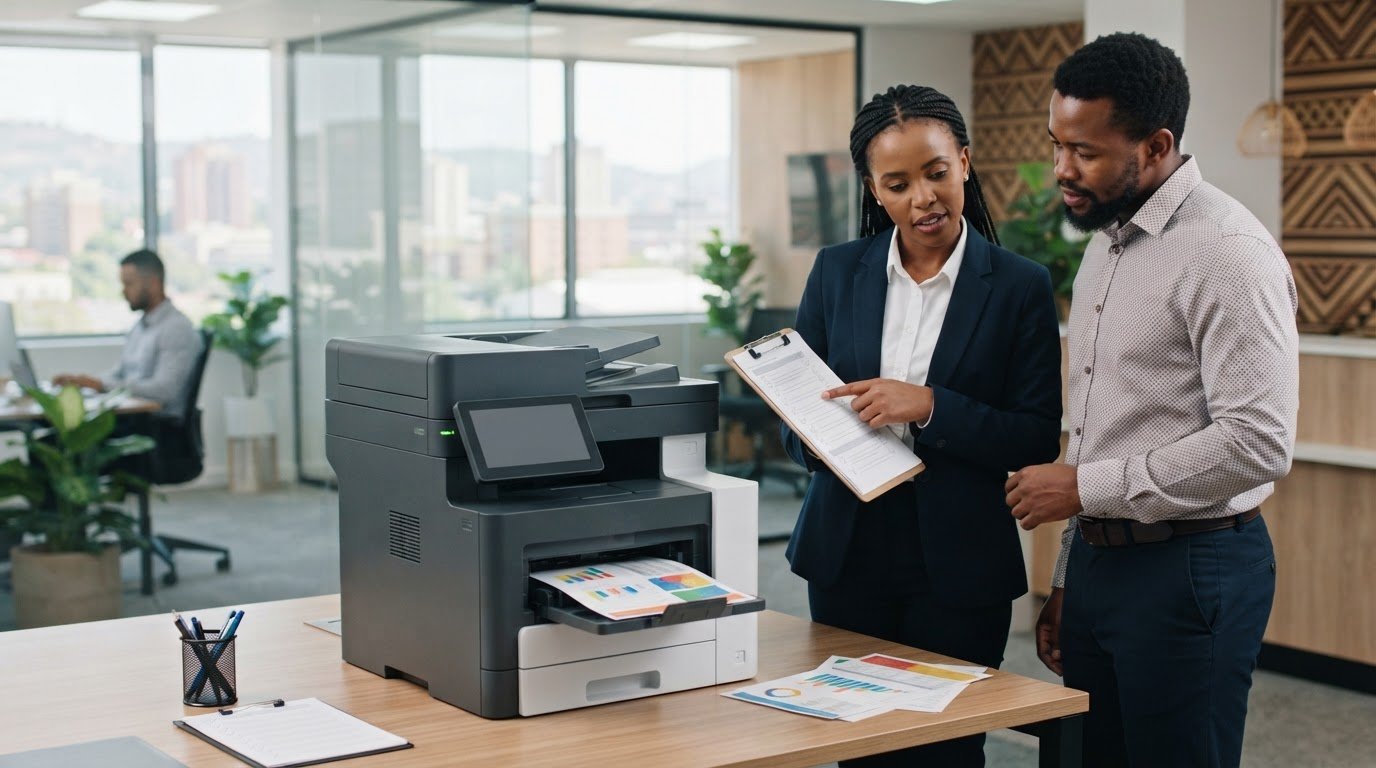
Choose a printer around the documents your team produces and the demands it needs to handle. Both average workload and peak demand inform printer selection. A device that handles routine printing may still slow the office during month-end processing or a seasonal surge, so plan for both.
Review print patterns. Use available printer-counter readings, print records or purchase records to estimate typical monthly output. Separate regular work from occasional spikes.
Identify users. Note which teams or individuals will use the device, where they work and whether printing is centralised or spread across departments.
Define the functions. Record whether the workflow needs print-only output, duplex printing, particular paper sizes or shared network access.
Compare specifications. Check each device’s listed speed, paper handling and connectivity against those requirements. Treat specifications as a fit test, not a substitute for understanding your workload.
Plan consumables. Identify the correct toner cartridge from verified product information, and plan how your business will manage replenishment and ordinary maintenance.
How can an office estimate its monthly print volume?
Start with evidence already available. Printer counters can show use over a recorded period, while purchase records may indicate toner consumption. Departmental estimates can help fill gaps when teams use several devices. Use a consistent period for comparison and distinguish everyday output from month-end, project-related or seasonal peaks. Treat the result as a working estimate for procurement, not a guarantee of future demand.
How do toner and parts affect the operating plan?
Consumables are part of the device’s ongoing operating requirements. Check the printer’s stated toner needs and use verified product details to identify a compatible cartridge rather than relying on appearance or a general description. Consider how staff will track replenishment and manage routine maintenance, including any need for printer spare parts.
Automate Digital offers toner cartridges and printer spare parts alongside pre-owned and new mono printers. Include these practical needs in your equipment plan. Explore toner cartridges and printer spare parts as you organise the operating plan for your workplace printer.
How to source a refurbished monochrome printer for your South African business
Use a defined procurement process to compare equipment against your workplace needs. Assess a refurbished monochrome printer alongside its stated condition, specifications and operating requirements, rather than selecting it on its label alone. Documenting your requirements first makes it easier to compare suitable pre-owned and new options on consistent terms.
What should buyers prepare before selecting a device?
Start with a brief that captures how the printer will be used. Include the details that affect daily operation:
Print demand: Estimate typical monthly volume and note peak periods.
Users and location: Record which teams need access and where the printer will sit.
Document types: Identify the paper sizes and formats used for routine work.
Essential functions: Specify requirements such as duplex printing, network connectivity, scanning or copying.
Operating needs: Note toner requirements and how the business will plan replenishment and ordinary maintenance.
Separate essential specifications from preferences. For instance, a shared office printer may need network connectivity, while a particular paper-handling feature may be optional if it isn’t part of the team’s regular work. This distinction keeps the comparison focused on practical fit.
Next, review each product description against the brief. Compare the stated condition, relevant specifications, included components and any listed limitations. Record what each option meets, what it doesn’t and which details affect daily use. This creates a clear basis for comparing equipment without assuming that pre-owned or new is automatically the better choice.
How can Automate Digital support a considered equipment choice?
Automate Digital offers pre-owned and new mono printers, allowing business buyers to compare equipment categories against their documented requirements. Toner cartridges and printer spare parts are also part of the workplace equipment range, so consumables and operating needs can be included in the purchasing plan.
Automate Digital has over 13 years in the industry and serves businesses across Southern Africa and SADC countries. Businesses in Johannesburg, Pretoria, the Western Cape and Northern Cape, as well as Mozambique, Swaziland, Zambia and Malawi, can use the same practical criteria to match printer specifications to their workplace needs.
Once your requirements and comparison criteria are clear, explore Automate Digital’s office equipment to review equipment categories for your workplace.
Choose equipment around the work it needs to do
A sound printer decision starts with your office’s actual print workload, then checks whether the device’s stated condition, specifications and included components suit that role. A refurbished monochrome printer may fit routine black-and-white output, but compare it with new mono and multifunction options if your team has different capacity or document-handling needs.
Plan beyond the initial equipment choice. Confirm toner requirements and consider how your business will manage replenishment and ordinary maintenance, including any need for printer spare parts. These operating details help you assess whether an option works for your workplace over time.
Automate Digital offers pre-owned and new mono printers, toner cartridges and printer spare parts. The company has over 13 years in the office automation industry and serves businesses across Southern Africa and SADC countries. Explore Automate Digital’s office equipment to compare relevant workplace options. Define your requirements, review the equipment details and choose the option that best supports your team’s day-to-day printing.
Frequently Asked Questions
What is a refurbished monochrome printer?
A refurbished monochrome printer is a previously used black-and-white printer prepared for resale. The term doesn’t describe one universal refurbishment standard, so it isn’t enough to establish a device’s condition or performance. Read the product description for its stated condition, specifications, supplied components and operating requirements. Then compare those details with the documents and print volume the machine is expected to handle in your office.
Is a refurbished monochrome printer suitable for a small business?
Yes, a refurbished monochrome printer can suit a small business if its stated condition, functions and specifications match the team’s everyday printing. It may fit a workplace that mainly produces text documents and doesn’t need colour or scanning from that device. First consider who will use it, typical and peak print volumes, connectivity needs and how toner will be replenished. Suitability depends on workflow fit, not business size alone.
What should I check before buying a refurbished mono printer?
Check the product description for the device’s stated physical condition, specifications, supplied components and any listed limitations. Compare print speed, paper capacity, supported paper sizes, duplex printing and connectivity with the tasks and users it will serve. Identify the correct toner using verified product information and account for operating requirements. Don’t assume a particular refurbishment process, service history, testing or warranty unless the product information states it.
Can a refurbished monochrome printer handle a busy office?
It may, if its listed capabilities fit the office’s routine volume and busiest periods. Review printer-counter readings, print records or departmental estimates to understand typical monthly demand, then account for peaks such as month-end reporting. Compare that pattern with the device’s stated speed and paper handling, and consider how shared access affects queues. No single specification proves suitability; the combined fit of workload, functions and operating needs matters.
Is a refurbished mono printer better than a new one?
Neither option is automatically better. A pre-owned printer may fit if its described condition and specifications meet your business requirements; a new device may make more sense when the available pre-owned options don’t meet a defined need. Compare both against the same criteria, including functions, connectivity, included components and ongoing consumables. Focus on how each option supports the workflow rather than assuming age alone determines value or reliability.
How much does it cost to run a monochrome printer?
Running costs depend on the specific device and how your business uses it, so there isn’t one reliable figure for every office. Build an estimate from the printer’s verified toner requirements and cartridge information, your expected print volume and any relevant maintenance or spare-parts needs. If you have print records, use them to estimate monthly use. Consider replenishment as well as the purchase decision, and avoid relying on generic cost-per-page figures.
Should I choose a mono printer or a multifunction printer?
Choose a mono printer if the device mainly needs to produce black-and-white documents and your workflow handles scanning or copying elsewhere. Consider a multifunction printer if staff regularly need to scan, copy or capture documents as part of the same process. For businesses in Johannesburg, Pretoria, the Western Cape or Northern Cape, and in Mozambique, Swaziland, Zambia or Malawi, base the choice on local users’ document workflows and connectivity requirements.


Comments